Author marketing
Plan an author photograph you can use in several places
Plan for crops, file sizes and usage permissions before the camera comes out.
Author marketing
Use light, angle and a simple background to show the physical book clearly.
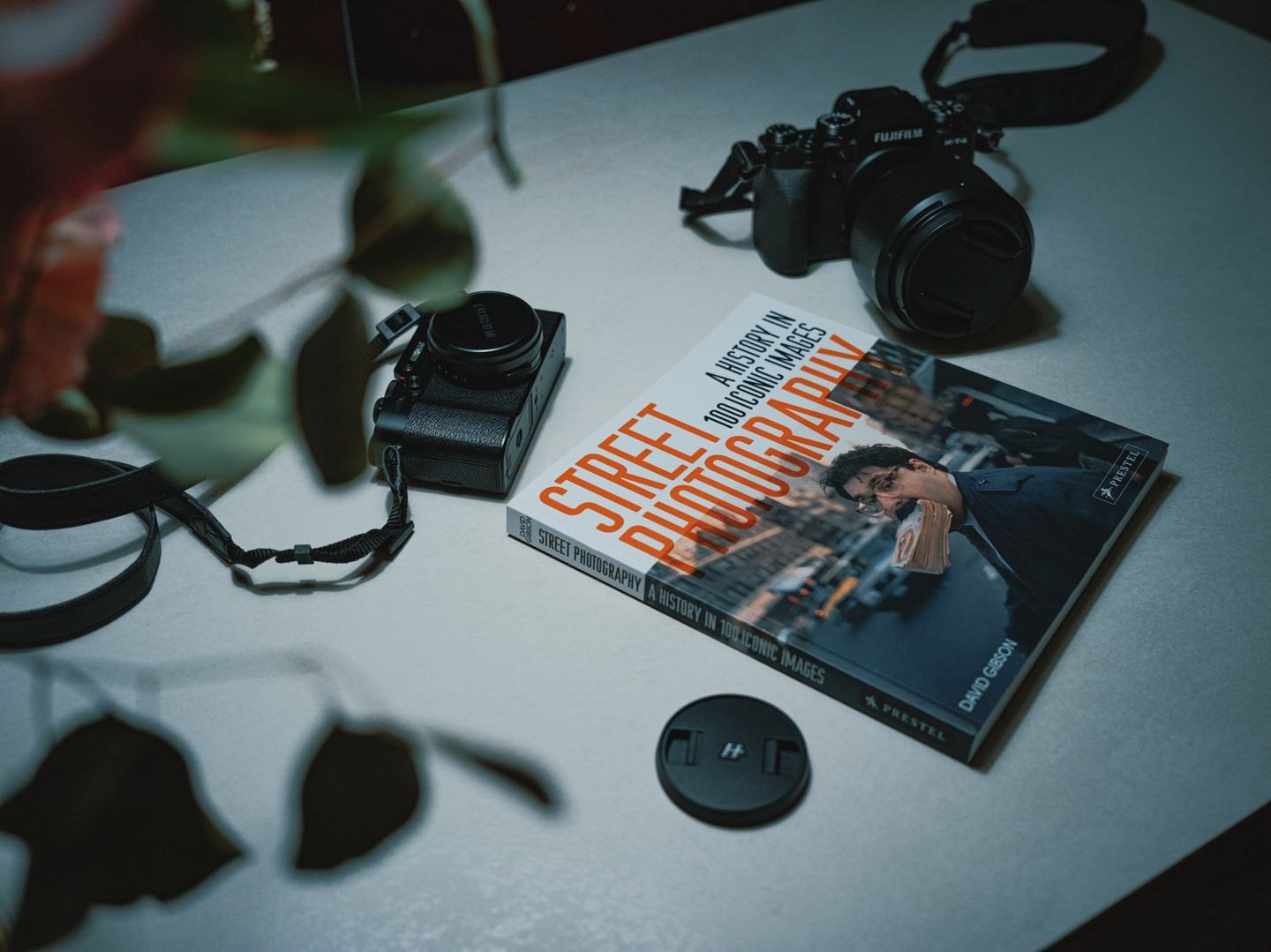
A front-cover photograph helps identify the title. An angled view can show the binding and thickness. An open spread can demonstrate illustration or page design. Choose the purpose before adding props, because a single image rarely explains all of those features equally well.
For a website, prepare a clear identification image first. More atmospheric photographs can follow if they serve a specific page or story. Keep the actual book visible and recognisable. A composition dominated by coffee, flowers or a distant landscape may communicate a mood while telling visitors little about the object being offered.
Place the book near a window or another broad light source and inspect reflections. Glossy covers can reflect the room, camera or a bright rectangular highlight. Move the light, book or camera slightly until important lettering and artwork remain visible. Direct flash can create glare that is difficult to fix later.
Watch the shadows around the spine and page edges. Some shadow helps describe the book's shape, but a dark band should not hide the title. A plain light reflector, such as a white board outside the frame, can soften contrast. Check the result on screen rather than assuming the setup behaves as expected.
For a straight-on cover image, align the camera with the cover so its edges do not taper unintentionally. For an angled product photograph, make the angle clearly deliberate. A slightly crooked cover often looks like an error rather than a considered perspective.
Clean the cover and inspect corners, dust and fingerprints. Use a representative copy in good condition unless wear is part of the subject. Avoid editing away features that materially misrepresent the edition, such as its binding or finish. Colour correction should help the photograph resemble the book under ordinary light.
Capture a little more space than the tightest expected crop. A site may use the image in both a wide banner and a square card. Keep the essential cover area away from edges that are likely to be cropped. Make separate compositions when one original cannot serve both shapes comfortably.
Review the image at the size visitors will see. The title should remain identifiable where that is the image's job. Export a suitably sized web file while retaining a higher-quality source. Give the file a descriptive name and add alternative text that explains the relevant visible content rather than repeating promotional copy.
Before publishing, compare the photograph with the edition linked on the page. A previous cover or a different binding can confuse a reader even when the image itself is attractive. Good book photography supports an accurate choice by showing the object clearly and in the right context.