Tools & workflow
Test whether you can recover a writing file
Restore a copy into a separate location and check that it contains the work and dependencies you expect.
Tools & workflow
Preserve both versions first, then compare the changes before choosing a new active draft.
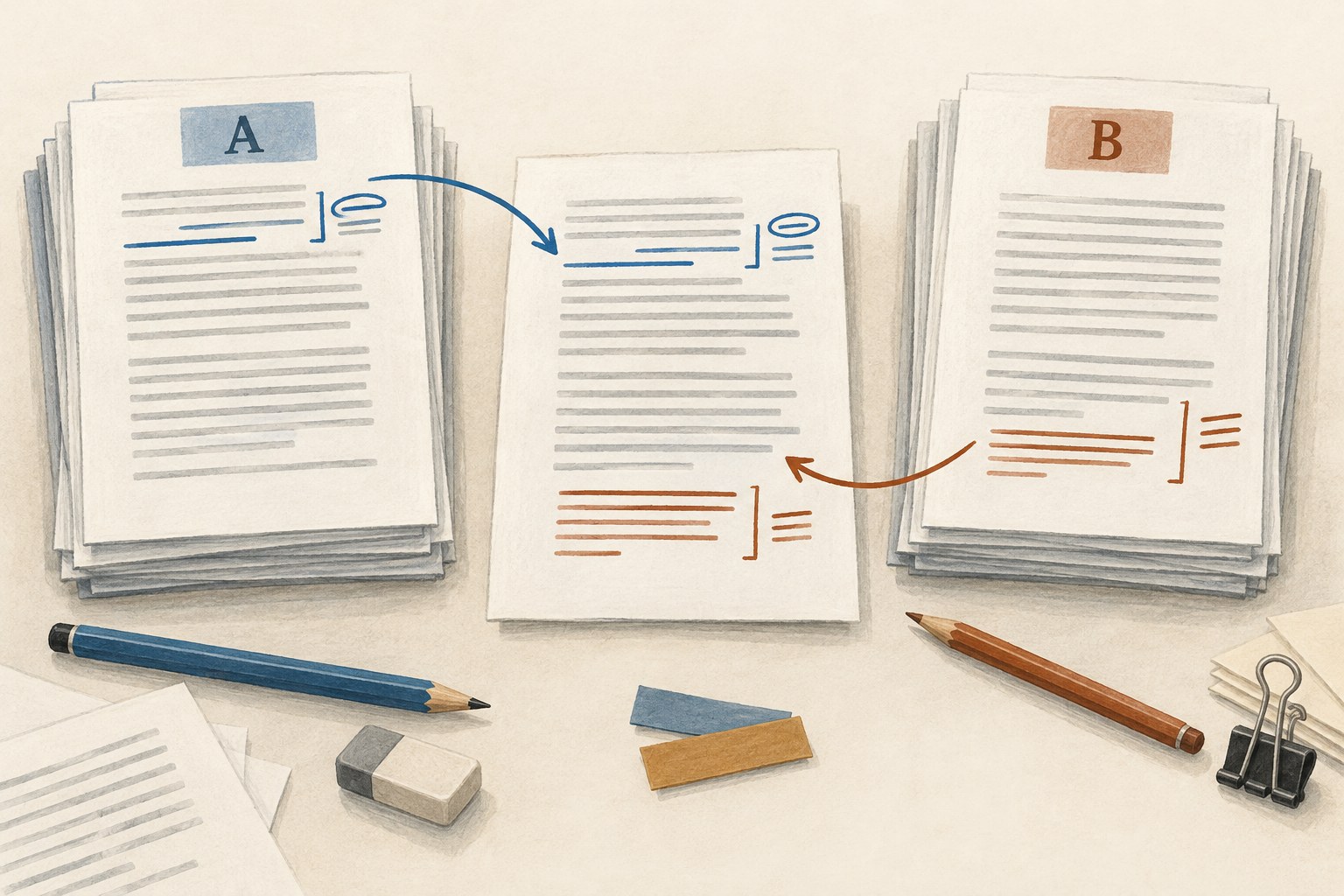
A sync conflict means that the system has encountered versions it cannot reconcile safely on its own. The immediate aim is to preserve the available evidence. Avoid opening several copies and continuing to edit while deciding which one is current. Each additional change makes the comparison harder.
Read the sync service's message and the writing application's guidance. Different systems represent conflicts differently, and a multi-file writing project may require special handling. If there is any doubt, close the application as appropriate and make separate copies of the available versions before taking a resolution action.
Do not assume the newest modification time identifies the best manuscript. A device clock, a metadata update or a later save of an older copy can make timestamps misleading. They are useful clues alongside the content, not a substitute for examining what changed.
Copy each candidate to a separate recovery location with a name identifying its origin and the time of capture. Keep these copies unchanged while you investigate. If the project contains multiple files, preserve the complete project structure rather than pulling out one visible text file and discarding the rest.
Record what happened as accurately as you can: which devices were used, whether either was offline, and where the last intentional edits were made. A brief account can help identify the likely divergence point. Avoid treating a remembered sequence as certain if the details are unclear.
If the service offers version history, inspect it through the supported interface. It may provide an earlier common version or clarify when changes appeared. Preserve useful recovery copies before restoring or replacing anything, since a resolution action can alter what is easiest to access afterward.
Open copies for comparison in a way that does not modify the originals. Use a document comparison feature where it suits the format, and inspect the differences yourself. A larger file is not necessarily more complete; it may contain deleted material, different formatting or unrelated metadata.
Begin with the passages you know were edited. Suppose one device contains a revised opening and another contains new material at the end of chapter four. Neither version can safely replace the other wholesale. The correct resolution may be a third version incorporating both sets of intended changes.
Check notes, comments, images and structural changes as well as prose. A comparison focused only on the main text may miss a moved scene or a corrected source note. In a complex project, the application's own recovery guidance may be more appropriate than a generic file-difference tool.
Create the reconciled manuscript in a new working copy. Bring across the changes you can identify and leave uncertain passages marked for review rather than silently guessing. Keep a short record of the decisions, especially when two versions offer different revisions of the same section.
Read across the joins. Combining individually correct passages can still create repeated information, inconsistent names or an abrupt transition. Search for known unresolved markers and compare the final chapter order. Treat the merged version as an editorial draft that needs review, not merely the output of a technical operation.
Save and back up the reconciled copy before returning it to the normal sync workflow. Follow the service and application's instructions for establishing the active version. Do not scatter the merged file into several locations at once and hope the system chooses the intended copy.
Allow synchronisation to finish and verify the expected content from the relevant devices, following the application's supported sequence. Keep the preserved candidates until you are satisfied that the active project and a tested backup contain the intended work. Then archive the recovery material in a clearly separate location.
Review the conditions that produced the conflict. Perhaps a device was closed before syncing finished, or two people edited an unsupported project format simultaneously. Change the routine in response to the actual cause where it is known. A simple habit such as confirming sync completion before switching devices may help, but it should match the software's documented behaviour.
The recovery is complete when one verified active draft exists and its backup is usable. The lesson is not that syncing is inherently unreliable; it is that convenience does not remove the need to recognise divergent copies and resolve them without sacrificing work.
Tools & workflow
Restore a copy into a separate location and check that it contains the work and dependencies you expect.

Tools & workflow
Treat export as a conversion that needs its own inspection, especially when the next person uses different software.