Tools & workflow
A writing app has to fit the whole workflow
Compare tools using a representative piece of your own work, including the moment when the draft must leave the app.
Tools & workflow
Styles give repeated elements a shared identity, making long documents easier to revise and hand over.
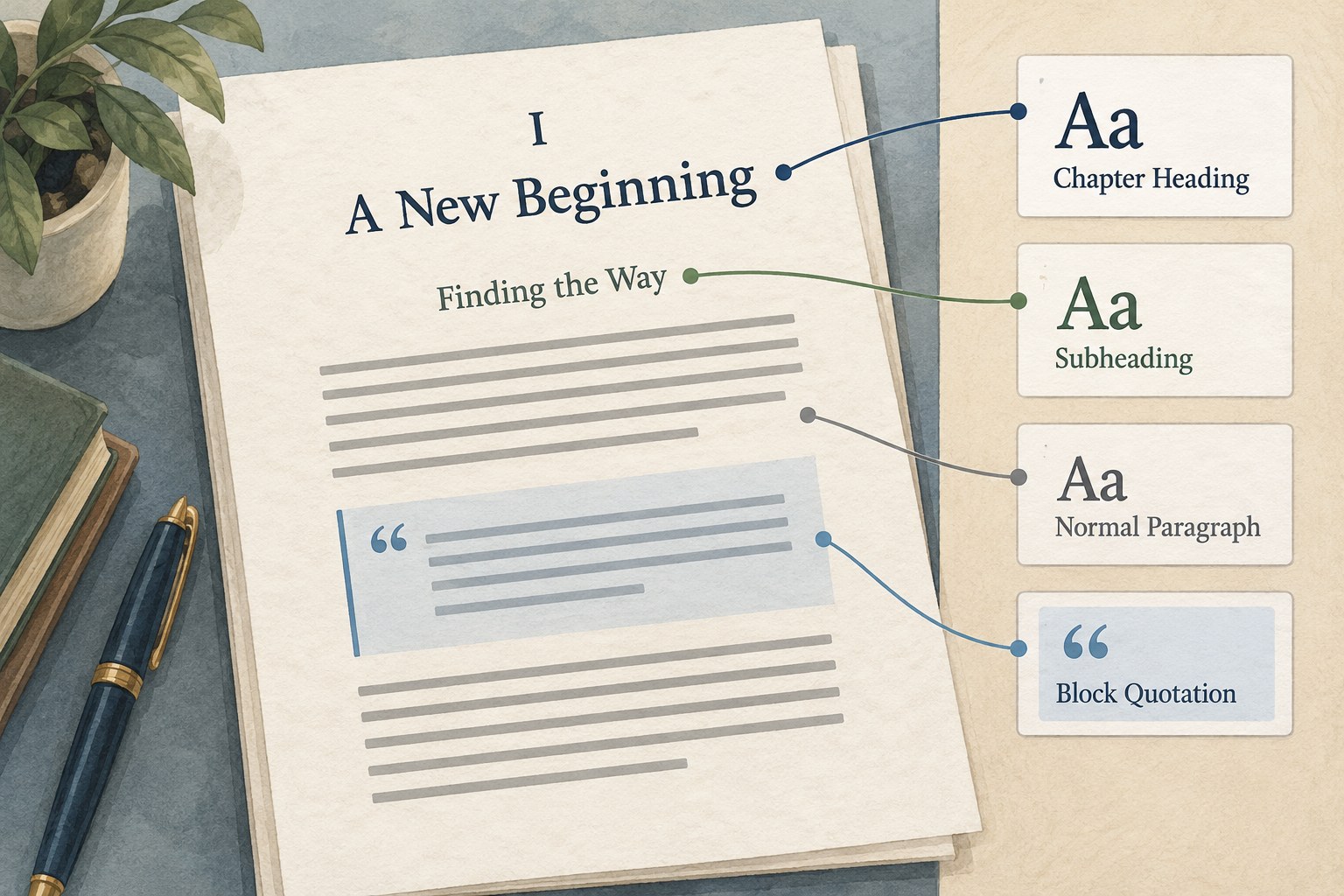
When every chapter title is made large and bold by hand, the document may look consistent while remaining structurally inconsistent. One title might use a different size, another may contain extra paragraph breaks, and a third may lose its formatting during export. A style gives those titles a shared role that can be managed together.
Microsoft Word's heading styles support navigation, reorganisation and consistent formatting. The useful principle is broader than a particular button: identify what an element is before deciding how it should look. A chapter heading, body paragraph, quotation and caption serve different purposes even if two of them happen to share a font size.
Start while the manuscript is manageable. Applying a few consistent styles to twenty pages is easier than diagnosing years of local formatting in a long book. You do not need a complete page design. The first goal is a clear and dependable structure that can be revised later.
Use the built-in heading levels for a logical hierarchy where they fit the document. A top-level chapter should not become Heading 3 simply because that style looks smaller. Modify the appearance of the appropriate level instead. The relationship between sections should remain understandable independently of typography.
For ordinary text, choose a consistent paragraph style. Add a small number of distinct styles only when the manuscript genuinely needs them, such as a block quotation, caption or special opening paragraph. Creating a new style for every unusual sentence makes the system difficult to maintain and weakens its value.
Give any custom style a name that explains its purpose. “Small blue text” describes an appearance that may change. “Figure caption” identifies a function. A designer or collaborator can interpret the latter more easily when importing the manuscript into another workflow.
Once a style is applied consistently, modify its definition to change all matching paragraphs. Word allows existing styles to be modified or updated from selected formatting. Use that ability deliberately, because changing a shared definition can affect many places in the document at once.
Work on a copy when making a major cleanup. Select representative examples and inspect the result before applying broad changes. Direct formatting may sit on top of a style, so two paragraphs assigned the same style can still look different. Diagnose those local overrides rather than repeatedly changing the shared definition to compensate.
Avoid using repeated spaces to create indents or empty paragraphs to control vertical position. Use paragraph settings or appropriate breaks. Manual spacing can behave unpredictably when fonts, margins or export formats change. It also makes the file harder for another person to interpret.
Include a long heading, a quotation spanning several paragraphs, a caption and any notes or lists in your sample. A style system that works only for ordinary paragraphs is not yet tested against the book. Check what happens when these elements occur near a page break or follow one another closely.
Use navigation or outline views to inspect heading order where the application provides them. Look for missing levels, headings assigned to ordinary text and accidental breaks in the hierarchy. This structural review can reveal a manuscript problem as well as a formatting problem.
If the file will move into another application, make an early test export or import. Confirm how styles are preserved or mapped, and agree any requirements with the person receiving the file. A consistent source helps, but it does not guarantee that every destination will interpret every feature identically.
When adding a new chapter, apply the existing roles instead of copying a paragraph whose hidden formatting you have not inspected. When pasting material from another source, decide whether to preserve its formatting or fit it to the manuscript's styles. Review pasted content before it becomes part of the normal flow.
Keep a short note of any unusual style conventions needed for handover. Explain what a special paragraph represents, not every visual detail that a designer may change. A manuscript's style structure should make editorial intent easier to see.
Before delivery, scan the document for inconsistent roles and export a representative file for checking. The value of styles is cumulative: a clearer draft, fewer repeated adjustments and a more intelligible handover. The formatting can evolve while the underlying organisation remains stable.
Tools & workflow
Compare tools using a representative piece of your own work, including the moment when the draft must leave the app.
Tools & workflow
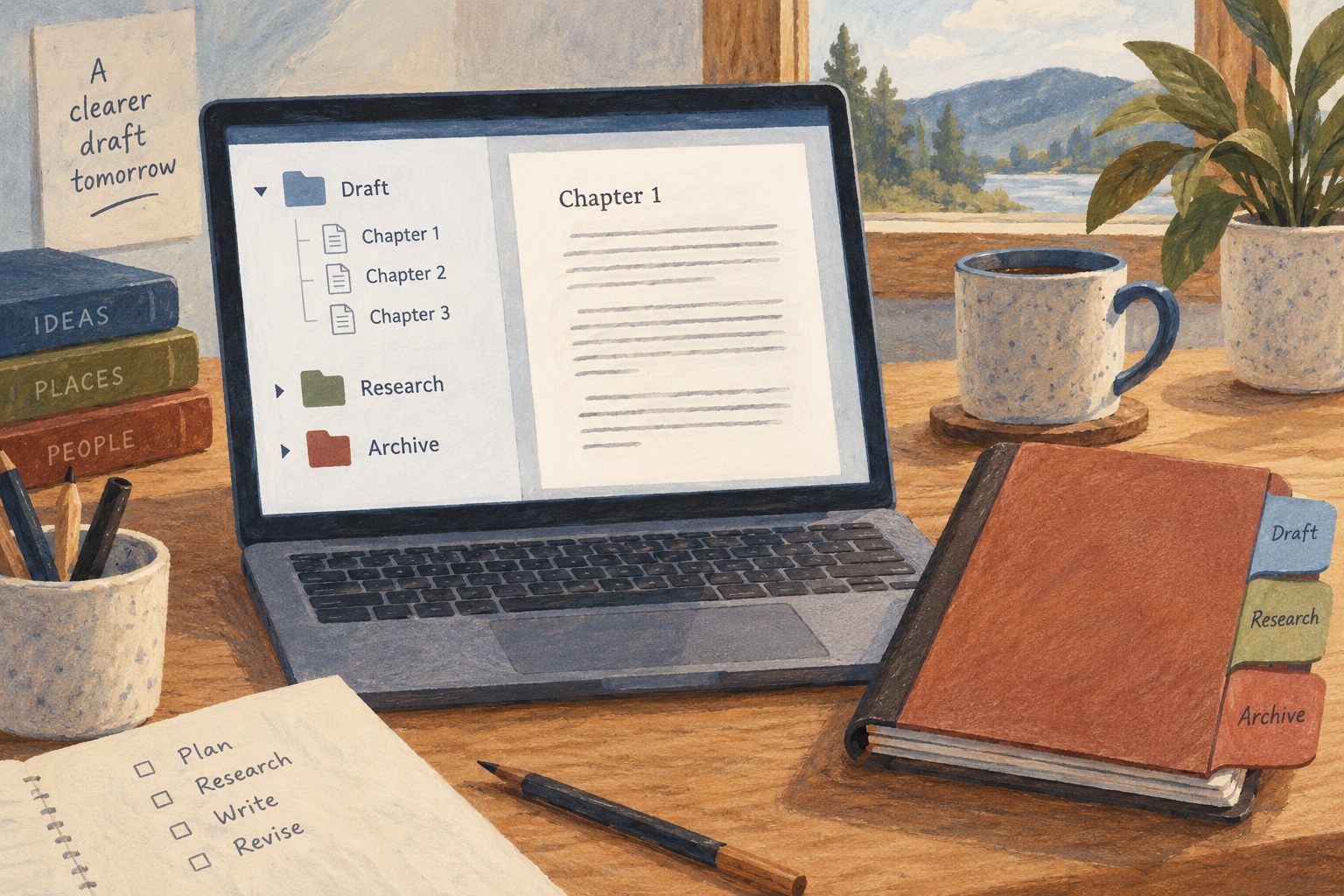
Use the Binder to make the next piece of writing easy to find, and add structure only when the project needs it.